
Uh oh, I gotta open up to you. This isn’t about balls. What did you think before clicking, huh?? Well, this is about trackballs, the mice?? The thingy you use to operate your computer.
I converted overnight
So well, this is my attempt to convince you to maybe try, or even switch to trackballs? It kinda looks very weird at first, I get that. So what exactly is a trackball?? A trackball mouse is a type of mouse that allows the user to control the cursor by rolling a ball with the fingertips or palm.
Imma begin with the reason why I bought one. So you must’ve already heard how good it is for your wrist, for your arms. They advertise this thing by saying it reduces 25 percent of the strain on your arm. Well, to be honest, I couldn’t care less about that part. Then why did I buy it?? Well, idk man, I just saw it, and really liked it, and was keen to try it, so it was more of an impulse purchase for me. Thankfully it was kinda cheap too, so I got it.
The first week is sketchy
When I got it, I didn’t really use it much. I was busy in other stuff I had during that time, so it was simply sitting on my desk for quite a while, but its time came, and I’m glad I used it. First week was very sketchy. It honestly felt like I was drunk and tryna drive a car (just FYI, I never been drunk, nor I drove a car). My first mouse was Elecom bitra trackball. So on that you control the ball with your index fingers, while you use your ring finger for right click, and thumb for left click, scroll wheel (idk why we got a scroll wheel tbh, it would’ve been much better if there was a macro to scroll using trackball), and there were two other programmable buttons. I used one for moving around my workspace. The other one was used to zoom in/out and opening the glorified launcher (up until macOS Tahoe, it was kinda dogshit).
I used it for like a month, then got bored, and life happened in between, so I forgot about it. Then I needed a new mouse again. I already had two mice at this point. Why’d I get one? Well, two reasons. My main mouse, a random wired Logitech gaming mouse, was getting old, and it was suffering from double clicks virus (it’s very common on that segment). Gladly that mouse lasted me two years, and still is very functional, other than that double clicks virus. Well, as a fallback I came to my old Elecom bitra I had, and this time for some reason, it instantly clicked, and I absolutely loved it, to the point I used it as a main. But I had to get a new mouse, because I wanted to try something new, and I wanted a trackball where the ball is on the thumb.
I bought Logitech MX Ergo S. It was a pretty good mouse, but it was expensive (8000 INR/90 USD). They also sell a base version of this mouse which is Logitech Ergo M575s. It’s pretty good. The only difference the Ergo got over this is, it got two other buttons. One is to switch between DPI.1 Another one was right beside the trackball, to switch the devices. The main USP of that mouse was it was height adjustable.2 I used it for three days, and soon enough I realized I don’t really like this one. It doesn’t justify the price it came with, and it had some weird rubbery coating all over the mouse, which wouldn’t last long because I got sweaty palms.
Well, up until now I knew what I wanted to get, so I returned the Logitech MX Ergo S, and got the Logitech Ergo M575s. It was perfect. It was half the price of the Logitech MX Ergo S. It had better texture. Only thing I’m still missing is the height adjustability, but I can just 3D print a stand with twenty degrees of inclination, and I’m good. So enough on this story.
Finger ball or thumb ball?
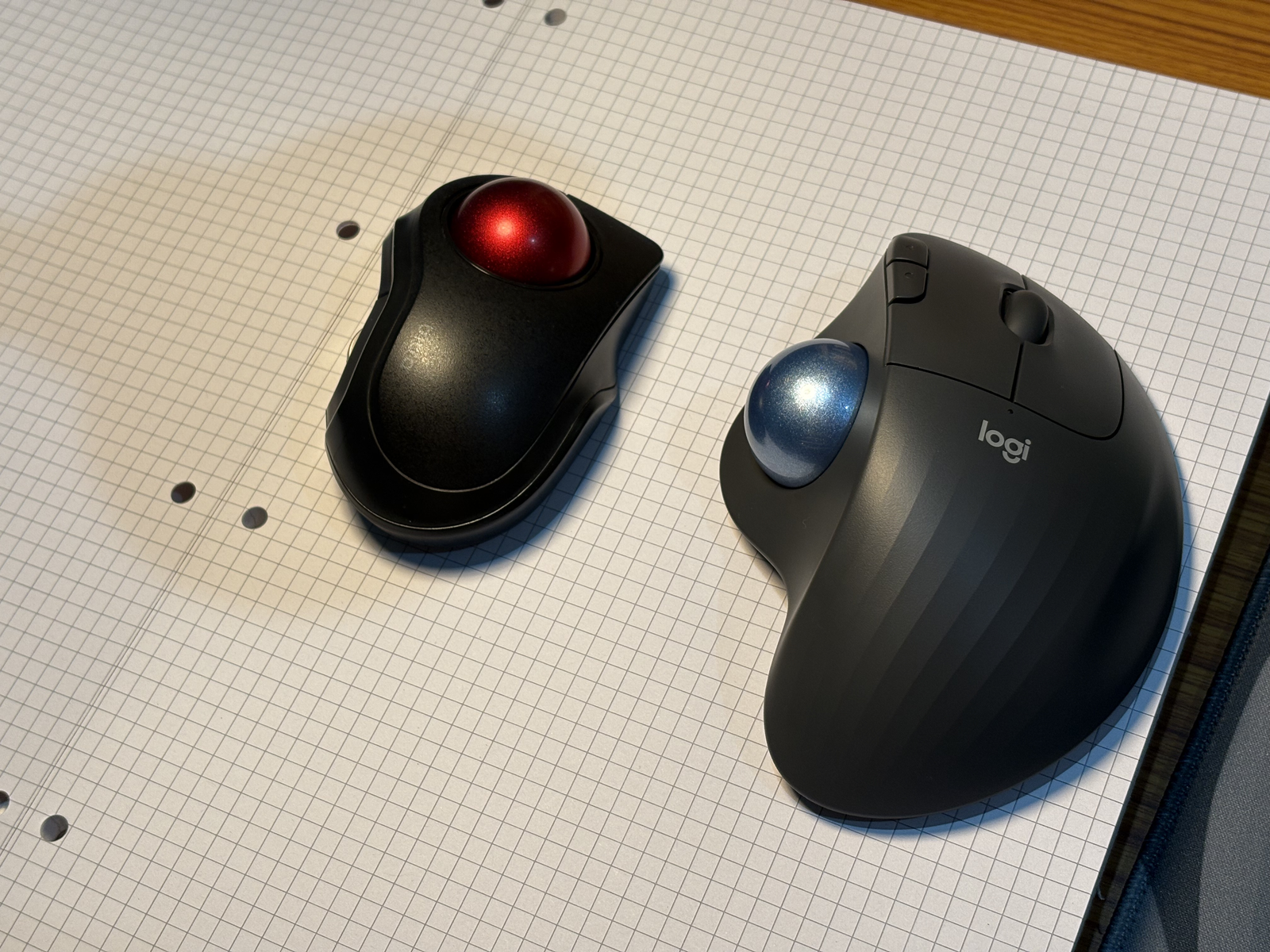
So right now I got two types of trackball. The mini, which got the ball on the index fingers. The thing I noticed between these two trackballs is, the index finger ball is very precise, or maybe I’m just feeling this I used it for longer period of time. Well, we will never know for sure. But the index finger trackball is very small, and very handy to carry around, and it’s very precise. The only downside is if you got giantass hands, it’ll feel very small to use like I did. Another feature I noticed about the trackballs is the flick. You can simply flick the ball, and you can go from one diagonal of the screen to another, and it feels very comfy.
The trackball on thumb is very comfortable, and you get more room to move around the ball, and it fills the hand very nicely, so the hand just rests, and once I get my 3D printed inclination stand, it’ll get wayy more comfy. Protip: you’ll get better at playing osu. (I still suck tho).
So, should you get one?
Well, idk, just try new things. You never know what might stick and what might not.
A few reasons to try a trackball:
- It’s fun
- It’s cheap and lasts very long
- It’s very comfy for your hands
- More precision and control (allegedly)
And all of this comes with very little learning curve.
So if you’re curious, get one cheap and keep a normal mouse around for a month. I moved off the first one, forgot it existed, then came back and it clicked. So let it flow, and see if you really stick with it.
So go ahead, them balls need fondling.
DPI is the sensitivity setting. The MX Ergo S precision button switches between fast tracking and finer control.↩︎
More precisely, the body tilts by 20 degrees; it is an angle adjustment rather than a height lift. See Logitech’s specification.↩︎